AI tools are transforming software development, but knowing where to start can be overwhelming. This guide walks you through the essential steps to integrate AI into your workflow safely and effectively.
Understanding AI Tool Categories
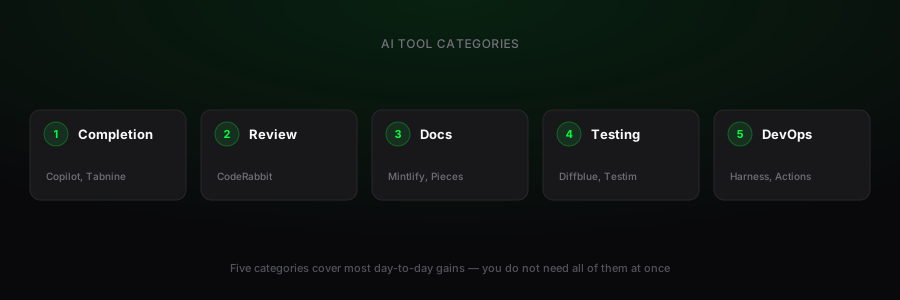
- Code Completion: GitHub Copilot, Tabnine, Amazon CodeWhisperer
- Code Review: DeepCode, SonarQube AI, CodeRabbit
- Documentation: Mintlify, DocuAsk, Pieces for Developers
- Testing: Diffblue Cover, Testim, Mabl
- DevOps: GitHub Actions AI, Azure DevOps AI, Harness
Step-by-Step Onboarding
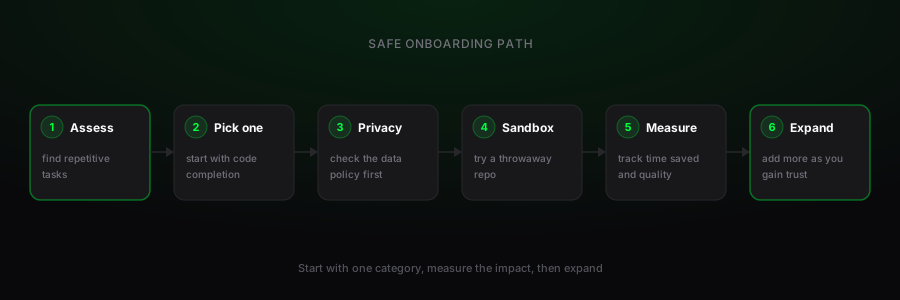
- Assess your needs: Identify repetitive tasks in your workflow
- Start with one category: Begin with code completion for immediate ROI
- Choose privacy-first options: Look for local processing or clear data policies
- Set up in a sandbox: Test with non-critical projects first
- Measure impact: Track time saved and quality improvements
- Gradually expand: Add more tools as you gain confidence
Best Practices for Safe Adoption
- Always review AI-generated code before merging
- Never share proprietary code with public AI tools without permission
- Use AI as an assistant, not a replacement for critical thinking
- Keep your prompts specific and contextual
- Maintain human oversight for architectural decisions
Recommended Starter Stack
- GitHub Copilot (or Tabnine for privacy-focused teams)
- AI-powered documentation tool (like Mintlify for open-source projects)
- Automated code review for PRs (CodeRabbit or similar)
- AI testing assistant for unit test generation
The goal isn't to use every AI tool available, but to find the ones that genuinely improve your specific workflow. Start small, measure results, and iterate based on what works for your team and projects.