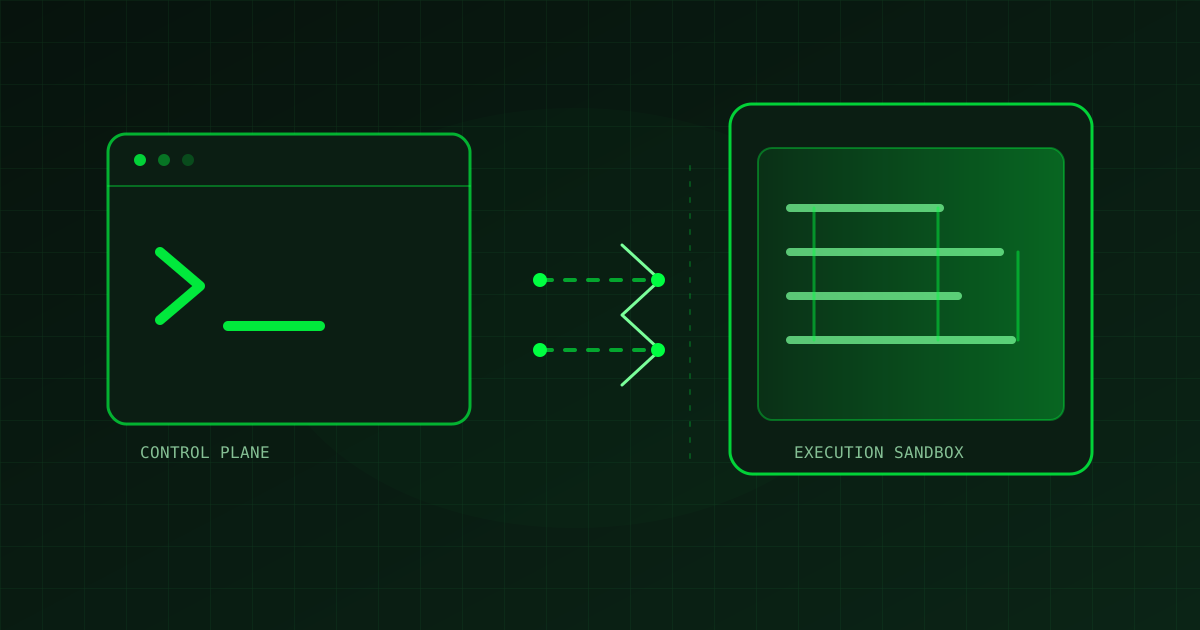
Self-hosted AI coding agents keep the agent’s work inside a worker or sandbox that your team controls, while the provider may continue to handle the agent loop, inference, planning, and orchestration. That separation is the practical idea to understand before connecting an agent to a repository, build cache, browser, or secret.
The distinction is timely. On September 2, 2026, Cloudflare announced support for running Cursor Cloud Agents on Cloudflare Sandboxes. In the announced model, Cursor continues to operate the agent loop while terminal, filesystem, and browser actions run in a customer-controlled environment. GitHub’s August VS Code release notes also emphasize organizing agent sessions, following activity, connecting sessions across windows, and reviewing related file changes. These are product announcements, not independent proof that any agent is safe or correct, but they point to a useful design question: where does each part of the work happen? [1] [2]
What “self-hosted” means in an agent workflow
A self-hosted worker is the execution environment selected by the customer. It may be a machine, container, or sandbox that runs the agent’s tools against a repository. It is not necessarily the place where the model runs, and it does not automatically mean that every byte stays local.
Cloudflare’s announcement describes Cursor Self-Hosted Machines this way: Cursor keeps the agent loop, including inference, planning, and orchestration, while a customer-selected worker executes the task. The worker can be a Cloudflare Sandbox, and the connection is outbound from the worker to Cursor’s backend rather than an inbound connection into the customer network. [1] That architecture can simplify network exposure, but it still requires careful review of credentials, egress, uploaded context, and returned artifacts.
Separate the control plane from the execution plane
Treat the agent provider and the worker as two related but different planes. The control plane schedules or manages the session, sends tool calls, and streams results. The execution plane has the checkout, filesystem, compiler, browser, package manager, and credentials that the task can reach.
| Plane | Typical responsibility | Review question |
|---|---|---|
| Control | Inference, planning, orchestration, session state, and result delivery. | Which prompts, file chunks, logs, screenshots, or videos can leave the worker? |
| Execution | Terminal commands, filesystem edits, builds, tests, browser actions, and network calls. | Which directories, credentials, hosts, and commands are reachable? |
| Handoff | Diffs, logs, artifacts, pull requests, and human approval. | What evidence comes back, and where is the stop-before-merge boundary? |
This model complements TOOlover’s AI coding agent review-gates guide. Review gates answer who approves a change; worker boundaries answer what the agent could access while creating it.
Design the worker boundary before the first task
Start with a disposable checkout
Give the worker a dedicated branch or short-lived checkout. Keep production workspaces, unrelated repositories, and personal configuration outside its filesystem. A disposable checkout makes cleanup and investigation easier, but it is not a complete security boundary by itself.
Use least-privilege credentials
Provide only the credentials required for the task, with the narrowest repository and environment scope. Do not assume that placing a token in an environment variable makes it invisible: commands can print variables, logs can capture output, and tools may upload diagnostics or artifacts. Prefer short-lived credentials and keep deployment, billing, and production data access outside routine coding sessions.
Make network access explicit
Decide whether the worker needs package registries, documentation sites, issue trackers, or a browser. Allow only the hosts and methods required for the task when your platform supports that policy. An outbound-only connection to an agent service can reduce inbound exposure, but it does not mean the worker has no external data flow. Cloudflare states that file chunks read by the model and agent artifacts such as screenshots, videos, and log references may be uploaded so they can appear in pull requests and dashboards. [1]
Make observability part of the workflow
A worker should return evidence, not just a success message. Record the branch, changed files, commands run, test results, assumptions, and unresolved risks. Keep the diff reviewable and require a human approval step before merge or publication. GitHub’s recent VS Code updates add features for navigating prompts to related file changes, reviewing session details beside chat, and continuing sessions created in other applications. Those features improve visibility in the client; your repository still needs its own checks and approval rules. [2]
For machine-managed capacity, Cloudflare’s announcement describes single workers as well as worker pools that can route sessions to available workers. It also references pool orchestration and a Cloud Agents API. Treat these as scaling mechanisms, not as substitutes for authorization: a larger pool can increase throughput while also increasing the number of environments whose permissions and cleanup need to be managed. [1] [3]
A practical preflight checklist
Before assigning a real task to a self-hosted AI coding agent, answer these questions in the repository or task handoff:
- Which repository, branch, and directories may the worker read or change?
- Which commands and package registries are required, and which network destinations are denied?
- Which credentials are present, when do they expire, and can a command or log reveal them?
- Which model inputs, file chunks, logs, screenshots, or videos can be sent to the control plane?
- Which checks must pass before a person reviews the diff?
- Who can approve, merge, deploy, or publish, and what actions are explicitly out of scope?
If the answers are unclear, reduce the task until the boundary is understandable. TOOlover’s repository context-file guide can help record project conventions and validation commands, while the AI coding-agent evaluation checklist covers how to inspect the resulting change.
The takeaway
Self-hosted AI coding agents are best understood as a split architecture, not a magic privacy switch. The provider may coordinate the session while your worker executes commands against code and systems you control. Define the filesystem, network, credentials, telemetry, and approval boundaries before the agent starts. Then require a reproducible handoff and review the actual diff, because a controlled execution environment improves the conditions for safe work without proving that the generated change is correct.
References
- Cloudflare Expands Support for AI Coding Agents with Cursor Cloud Agents on Cloudflare Sandboxes — Cloudflare, September 2, 2026.
- GitHub Copilot in VS Code, August 2026 releases — GitHub Changelog, August 31, 2026.
- Run Cursor Cloud Agents on Cloudflare via self-hosted machines — Cloudflare Developers Changelog, September 2, 2026.